

A birthday is approaching, a close friend has moved abroad, or someone in your group is celebrating an important achievement. You have plenty of photographs together, but sending another photo collage feels predictable. A personalised friendship video offers a more expressive way to celebrate shared memories, especially when friends cannot meet in person. With a thoughtful concept, familiar photographs can become a short, entertaining story that captures the personality of a friendship.
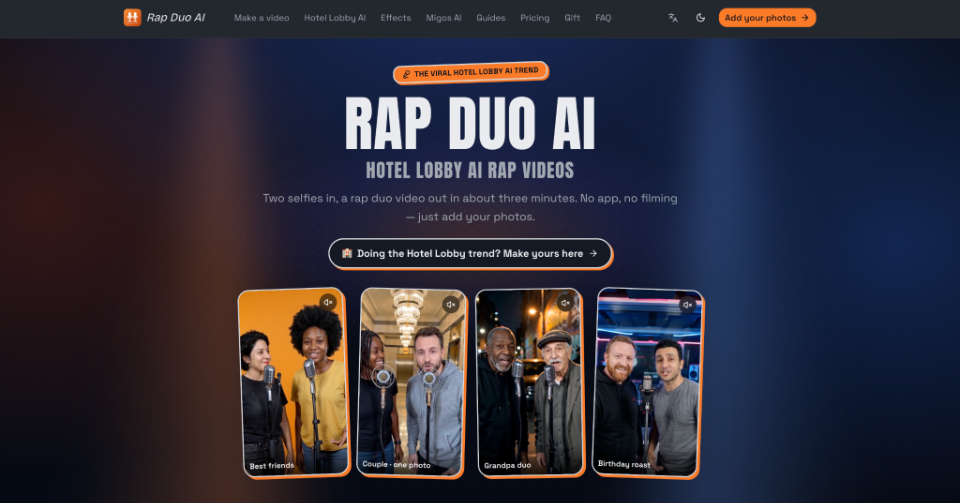
Creating something memorable does not necessarily require professional filming or complicated editing. Traditional slideshows can preserve moments, but they sometimes lack movement, humour, and interaction. Photo-based video tools offer another creative option, including Rap Duo AI, which can turn two people’s portraits into a shared rap performance. The challenge is choosing meaningful material, developing a suitable concept, and ensuring the finished video feels personal rather than generic.
Choose a Meaningful Friendship Story
Before selecting photographs or video effects, decide what the video should communicate. A birthday surprise might celebrate funny memories, while a graduation tribute could highlight years of encouragement and personal growth. Choosing one emotional direction helps determine which photographs, captions, and visual styles belong in the final piece.
Start by identifying three details that make the friendship distinctive: a memorable experience, a shared interest, and a personality trait. For example, two university friends might remember late-night study sessions, their favourite local café, and a running joke about arriving late to lectures.
These details become creative material instead of simply background information. A specific memory usually communicates more than a generic friendship message. When viewers recognise a familiar experience, even a brief video can feel meaningful. Keep the central story simple enough for someone unfamiliar with the friendship to understand.
Prepare Photos for Video Creation
Photographs influence how recognisable people appear in animated videos. Choose images where faces are clearly visible, lighting is reasonably balanced, and important facial features are not hidden. Portraits with heavy filters, extreme angles, or substantial motion blur may produce less dependable results.
For a video featuring two friends, prepare separate portraits whenever possible. Images do not have to come from the same occasion, but similar lighting and camera angles can make the finished performance appear more consistent.
Check Your Source Images
Review each photograph before beginning:
- Facial visibility: Eyes, mouth, and facial outline should be reasonably clear.
- Lighting: Avoid deep shadows covering important facial features.
- Composition: Keep the main subject easy to identify.
- Authenticity: Choose photographs that genuinely resemble the people involved.
If you are creating a longer tribute, collect additional photographs showing places, celebrations, or meaningful moments. These can be arranged separately during editing.
Always obtain permission before uploading someone else’s photograph to an AI service. A friendly surprise should respect the participants’ privacy and their preferences about public sharing.
Turn Two Portraits Into a Performance
A short musical performance can introduce humour and energy into a friendship video. Rather than having photographs appear one after another, the two friends can be represented as performers sharing a scene. This format works particularly well for birthdays, reunions, and playful messages between close friends.
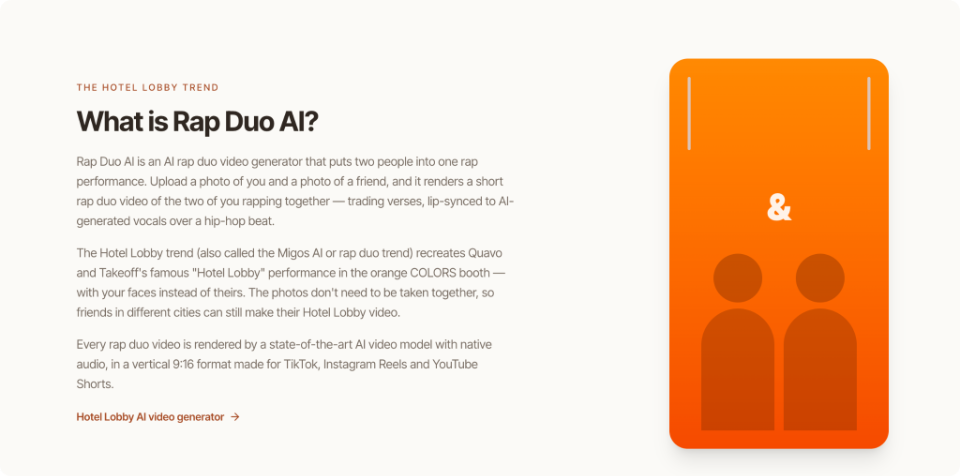
One option is an AI Rap Duo Video Maker. Its workflow allows users to upload two portraits, select a performance setting, and enter a short topic describing the occasion. The system then generates a brief rap video with original lyrics, vocals, and a beat. After generation, check whether both faces remain recognisable, the words suit the occasion, and the performance looks coherent. If something feels incorrect, adjust the topic or source photographs before trying again.
Write a Specific Creative Brief
The topic should communicate something distinctive without becoming overly complicated. For a birthday celebration, a useful example might be:
“Mia’s 25th birthday, best friends since school, famous for laughing at the worst jokes.”
This provides a person, an occasion, and a personal detail. Compare that with simply entering “birthday rap,” which gives the generator much less personal context.
Keep jokes affectionate and suitable for the intended audience. Avoid sharing private experiences, embarrassing information, or sensitive details without permission.
Add Personality Through Editing
Once the central performance is ready, consider how it fits into the wider friendship video. A single generated clip can work as a standalone message, but a longer tribute may benefit from additional photographs, captions, and short transitions.
For example, begin with an old friendship photograph, introduce a simple birthday message, play the musical performance, and finish with a recent picture. This gives viewers a clear beginning, a memorable central moment, and an ending that connects the video to the real relationship.
Keep the Editing Simple
Use a separate video editor when you need to combine clips, add captions, or arrange multiple photographs. Simple editing decisions often make a greater difference than elaborate visual effects.
Keep these principles in mind:
- Use short captions that viewers can read comfortably.
- Maintain consistent text placement and colour.
- Avoid transitions that distract from people’s faces.
- Balance music volume with any spoken messages.
- Check that important details remain visible on mobile screens.
If additional background music is needed, use audio you have permission to include. Generated audio should also be reviewed against the service’s applicable usage terms before public or commercial distribution.
Review Before Sharing
A friendship video should feel enjoyable to the people featured in it. Before posting, watch the entire piece from their perspective. Look for awkward facial movements, inaccurate visual details, inappropriate lyrics, or jokes that might be misunderstood outside the immediate friendship group.
Next, review the technical presentation. Check whether captions are readable, audio levels remain comfortable, and the video fits the intended platform. Vertical framing may suit Instagram Reels or TikTok, while a different layout could work better for a television presentation at a family gathering.
Finally, decide how widely the video should circulate. A private group chat may be more appropriate than a public social media post, particularly when personal photographs or names are involved. Permission to use a photograph is not necessarily permission to publish an altered video publicly. Confirm that everyone featured is comfortable with the final version.
Make the Memory Matter
The most memorable friendship videos usually reflect genuine experiences rather than complicated production techniques. Thoughtful photo selection, a recognisable shared story, and careful editing can turn familiar images into something entertaining and emotionally meaningful.
Begin with the occasion, identify one or two personal details, and choose a format that matches the relationship. Whether the result is a humorous musical performance or a simple collection of memories, review its accuracy and respect the people involved. A successful friendship video should give its recipients something they recognise, enjoy, and feel comfortable sharing.
 Usman
Usman